> For the complete documentation index, see [llms.txt](https://guide.assemblrworld.com/llms.txt). Markdown versions of documentation pages are available by appending `.md` to page URLs; this page is available as [Markdown](https://guide.assemblrworld.com/creation-guideline/designing-3d-ar-environments.md).
# Designing 3D/AR Environments
Learn how to craft immersive 3D/AR environments!
Note: This guide is a reference. You can customize 3D objects in Assemblr EDU as you like.
## Panoramic and Dome Backgrounds
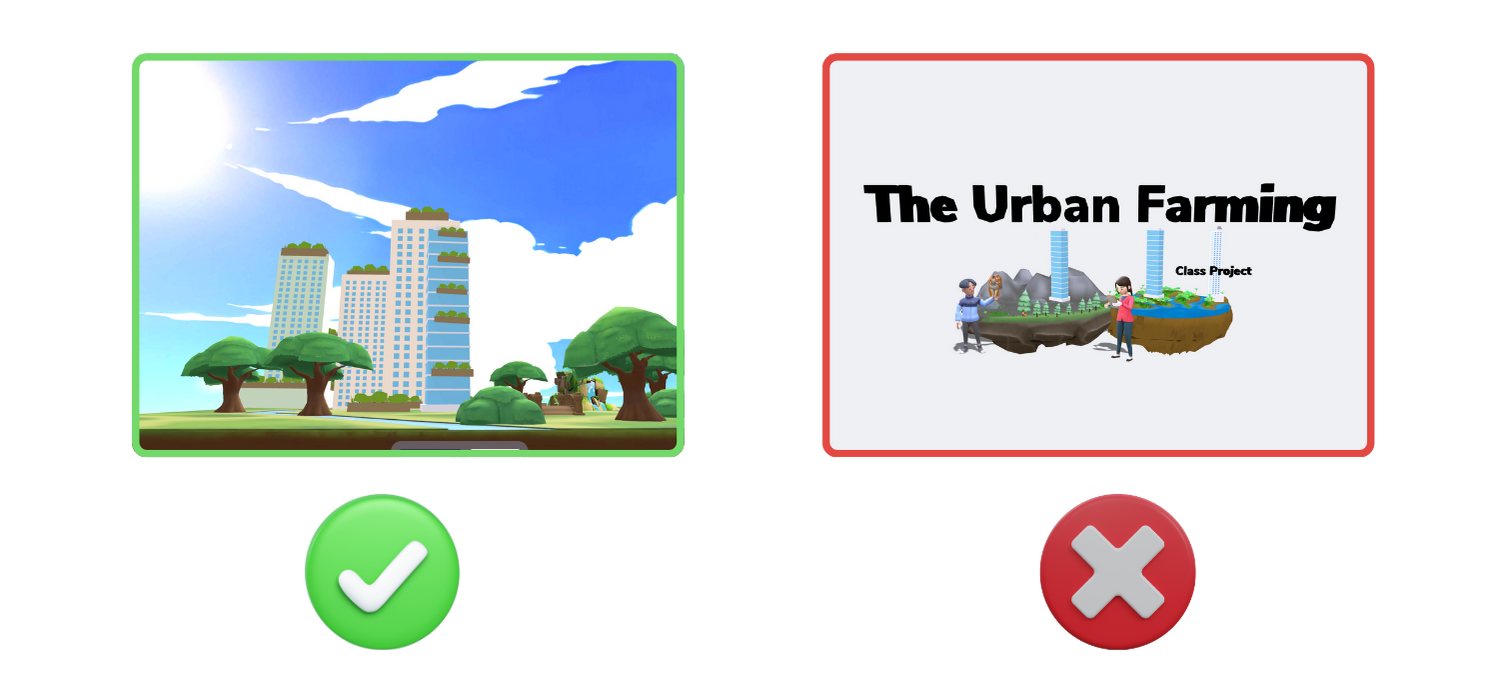
Incorporate domes or panoramic views to create stunning 3D backgrounds with various colors of the sky!
### ✅ Balancing Colors
* Pick 2–3 dominant colors for a cohesive look.
### ✅ Adding Backgrounds
* Option 1: Use “Dome” or “Panoramic” for a themed background.
* Option 2: Use the background color feature and select complementary hues.
### ✅ Limit 3D Objects
* Include up to 20 3D objects per project. Use 2D images to manage file sizes efficiently.
### ❌ Clashing Colors
* Poor color coordination makes the project less appealing.
### ❌ Dark Backgrounds
* Gray backgrounds can make objects appear dull.
### ❌ Overloading 3D Objects
* Stick to relevant objects that suit your project’s theme, keeping sizes balanced.
### ⭐️ See and duplicate project ([here](https://asblr.com/899d4c))
## Designing Isometric 3D Rooms
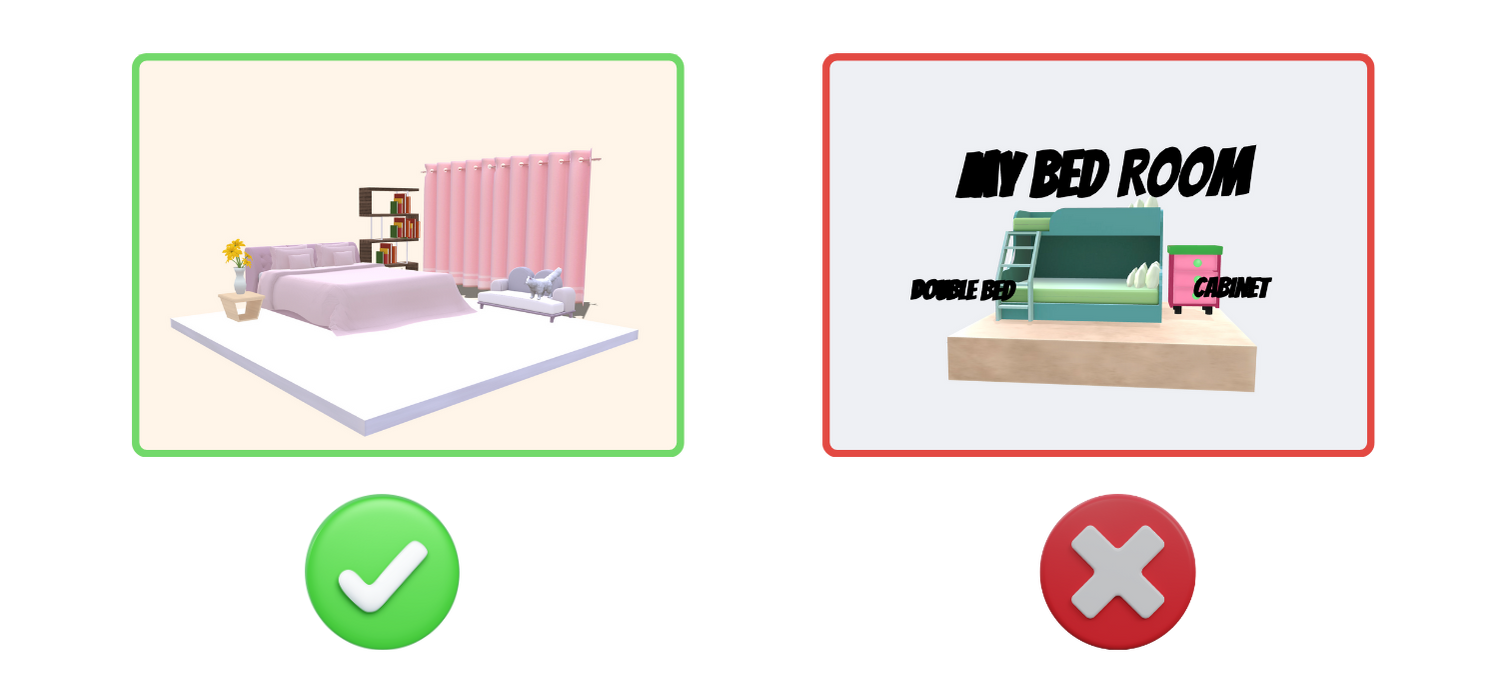
Learn how to decorate and arrange your stunning isometric 3D rooms with these tips!
### ✅ Aligned 3D Objects
* Position objects thoughtfully to make the space visually appealing.
### ✅ Neat 3D Text
* Use minimal extrude for 3D text to avoid overlaps and keep the design clean.
### ❌ Misaligned Objects
* Unorganized objects create a messy appearance.
### ❌ Oversized 3D Text
* Large 3D text can crowd your design and create a chaotic look.
### ⭐️ See and duplicate project ([here](https://asblr.com/1abc5b))
.png?alt=media&token=6ba3a125-65b3-4696-89d3-cd5ce3993c6e)